|
|
|
|
|
|
| |
|
Review
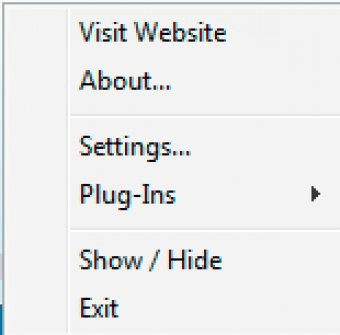
Magical Glass 2.0.0.2 is a screen magnification tool for Windows. The application is rather basic at that too. After you install the application, the only trace you will see of it will be on the tray menu. There, you have to access the settings just so that you know how to activate the thing. Or you can activate it by using the Show/Hide button on the menu. This could use some work, since it is not the first place one would go to activate a newly installed application. On my system, the default hotkey did not work, so I changed it to something more uncommon. Whenever I activated the magnifier, my system would turn awfully slow and instead of a magnifying glass, I would see a distortion on top of the mouse pointer. Feature-wise, you can change several hotkeys that control several aspects of the magnifying glass, such as zoom factor, size of the magnifier and brightness. There is also a button that allows you to capture a part or the totality of the screen. The application settings are very complete for such a basic application. The fact that I struggled to get it to work just turned me down. It might work for you. |
|
- It uses the default magnifier in Windows.
- I couldn't get it to work out-of-the-box.
|
|
Reviewed by: José Fernández Reviewer rating:  |
|
|
Screenshots
|
|
|